
01Upload Your Image and Analyze the Text
Drop a JPG, PNG or WebP. Retypit detects every line of text automatically.
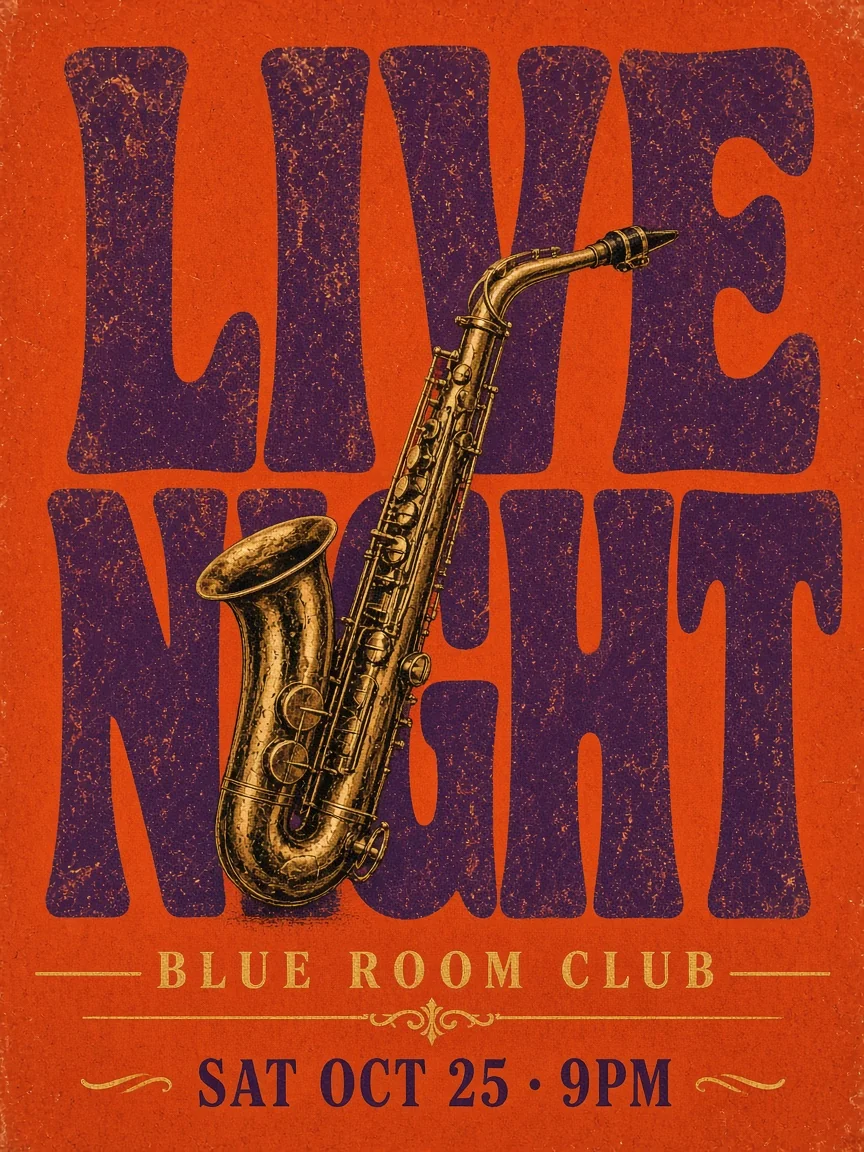
Edit text in an image without changing how it looks. Retypit replaces the words you click and matches the original font, color, size, and background, so the new line sits in the same place.
AI instantly detects the text in your image so you can edit it in the same font.
Or click to browse · PNG, JPG, WebP up to 20MB

Drop a JPG, PNG or WebP. Retypit detects every line of text automatically.
After the lines are detected, click the one you want to change — like “LIVE”, “NIGHT”, or the date — and type “JAZZ”, “SHOW”, or “FRI NOV 14 · 8PM”. Even ornate script and decorative lettering are supported.
LIVE→JAZZ
NIGHT→SHOW
SAT OCT 25 · 9PM→FRI NOV 14 · 8PM
The new text is rebuilt in the original font, color and texture, so the edit blends right in and keeps the same look.
No. A regular editor often overlays a new font. This page is for replacing existing text while keeping the same font.
Yes. The new text matches the original color and size along with the font, so the replacement looks like it was always there.
Yes.
No. It runs in the browser.