
Retypit vs ReWords — Same Poster, Three Axes
We ran the same edit on one Back to School flyer: change the upper-right date from WED 28TH AUG to FRI 05TH SEP (three stacked words). Retypit at retypit.ai vs ReWords at cn.rewords.ai (English UI). Each tool charged 1 credit for this multi-box date edit.
| Axis | Winner | Why |
|---|---|---|
| Use difficulty (UI/UX) | Retypit | Fewer steps after upload; edit stays in one workspace. ReWords forces sign-in after upload, same-length lock, then History plus three result tabs. |
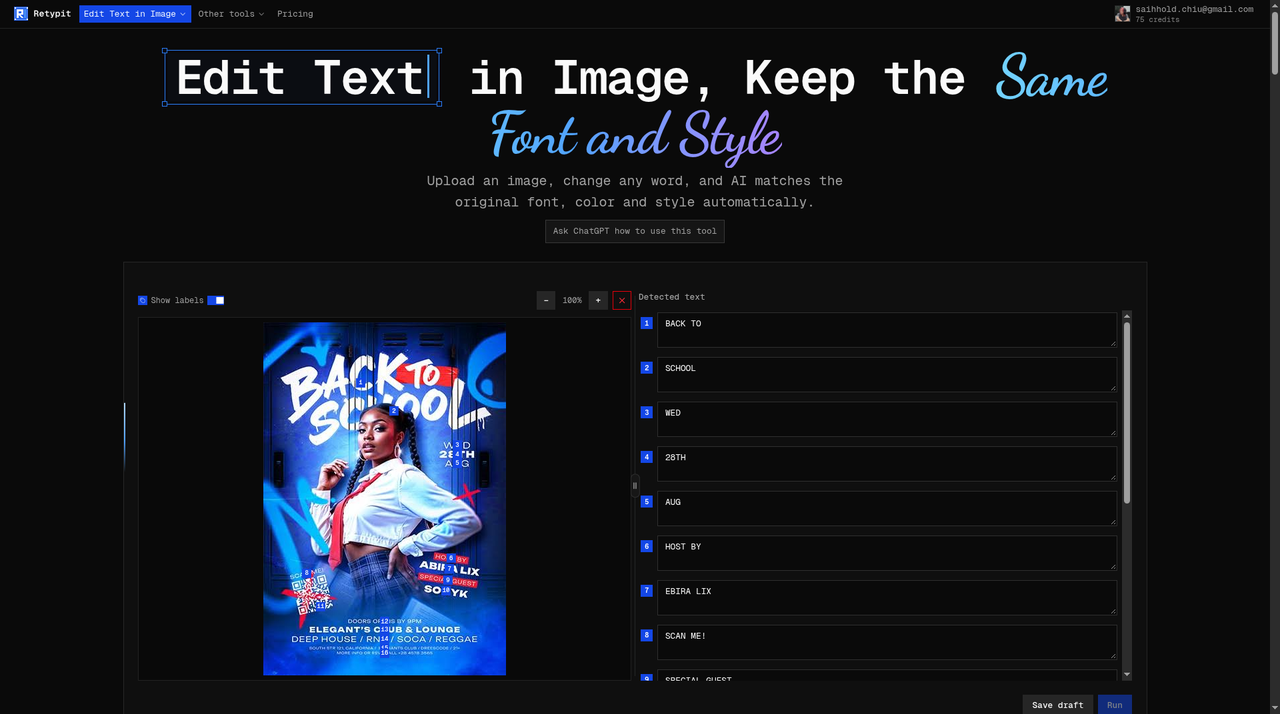
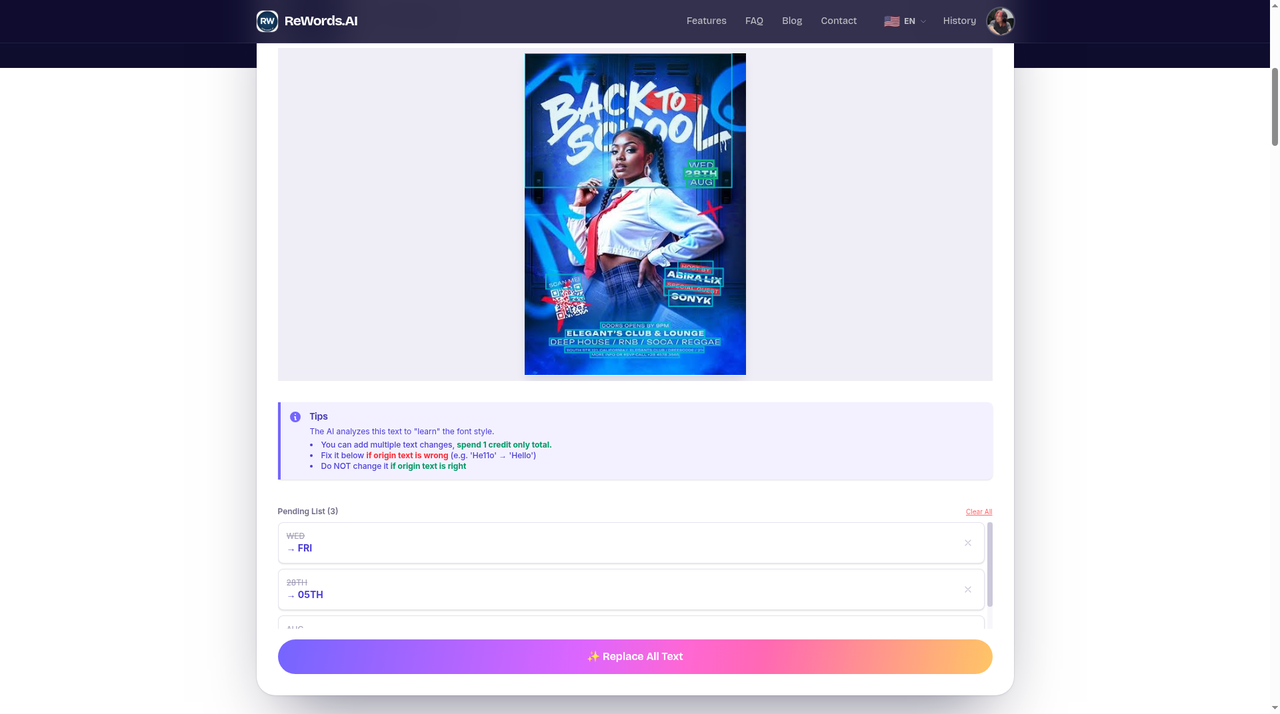
| Recognition | Tie on the date; Retypit slightly cleaner overall | Both split the date into WED / 28TH / AUG correctly. ReWords OCR is noisier on other lines (BACKTOL, garbled address); Retypit’s numbered list keeps spaces readable. |
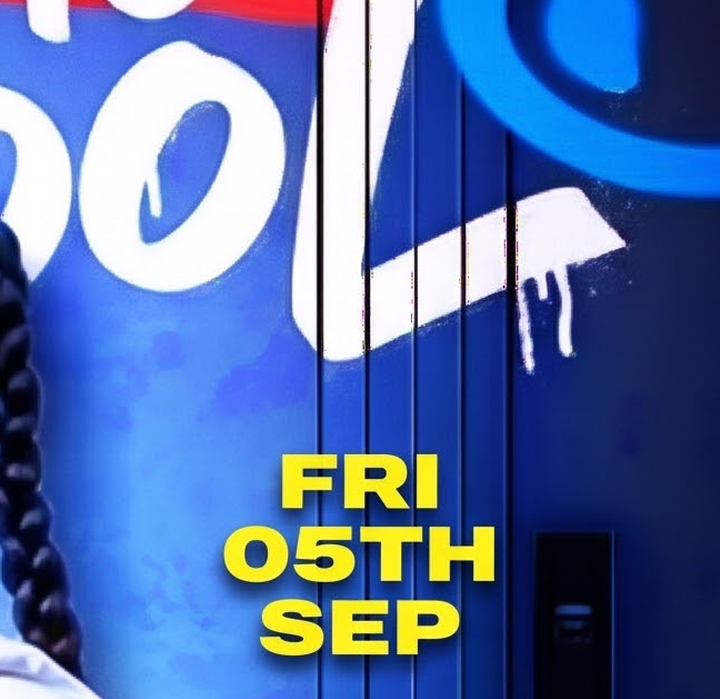
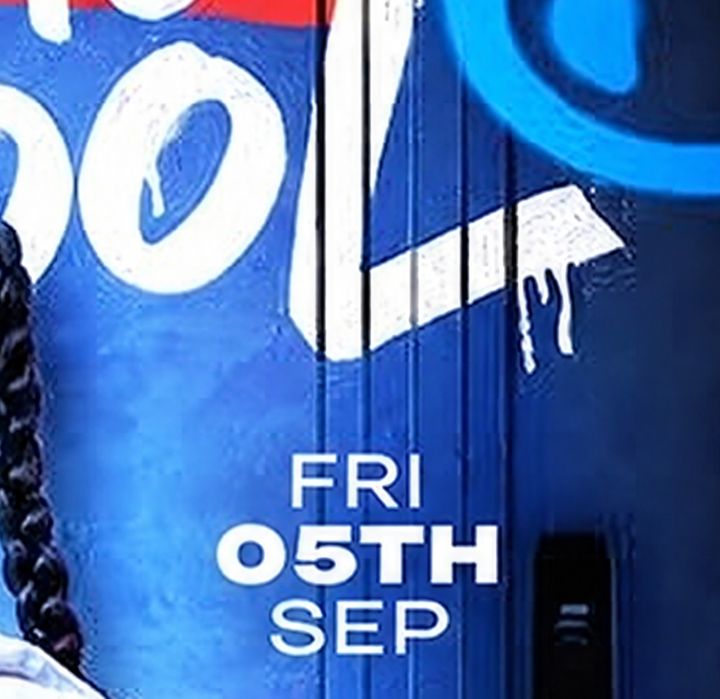
| Edit accuracy | Retypit | Date stays white condensed type. ReWords default Result A paints the date yellow; Result C matches white best but rewrites the footer to invented Oakland / +123 phone text. |



How we tested
- Same source image: Back to School flyer (364×530), upper-right date WED 28TH AUG → FRI 05TH SEP.
- 1 credit each for the multi-box date run on both products (Retypit 75→74; ReWords 16→15 in our sessions).
- Retypit session was signed in—we did not re-test guest/free parity on Retypit for this write-up.
- ReWords tested on cn.rewords.ai with the English UI; Google sign-in was required after upload in our run.
Use difficulty — Retypit wins
Retypit: hero drop → auto “Finding text…” → numbered list → edit three date rows (changed rows turn green) → Run when something changed (~6 actions). Rough edge: after Run the canvas resets to an empty drop zone; progress shows on a small history thumbnail until the result modal (~30–45s).
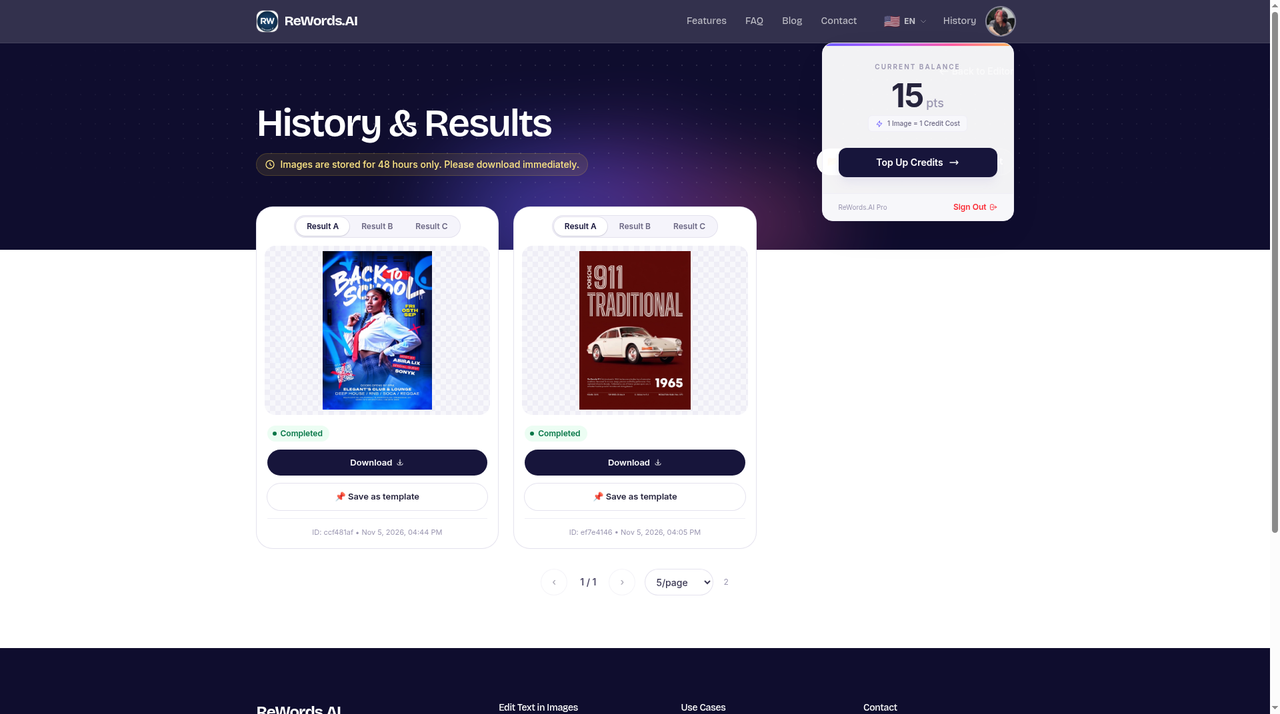
ReWords: clear upload, then Sign in to continue with no guest skip → scan → click each box → Original + New Text → ADD (disabled until same character length) → Replace All Text → History (48h storage note) → open Result A/B/C. More clicks and context switches; same-length lock is a real constraint for edits that change length (not an issue for WED→FRI / AUG→SEP).

Recognition — tie on the date; Retypit slightly cleaner list
Both detected the target date as three separate boxes and OCR’d WED / 28TH / AUG exactly. Retypit listed 16 regions; ReWords 15 boxes. For editing other lines without fixing OCR first, Retypit’s list was slightly more usable.
| Check | Retypit | ReWords |
|---|---|---|
| Target date (WED / 28TH / AUG) | Exact | Exact |
| Notable OCR misses | ABIRA→EBIRA; fine-print address wrong; extra partial ELEGANT | BACK TO SCHOOL→BACKTOL; SCAN ME!→SOANMEI; spaces dropped; address heavily garbled |
| Unedited lines rewritten to OCR guesses? | No on main body (output still ABIRA LIX) | No on Result A/B for main lines |
Edit accuracy — Retypit wins
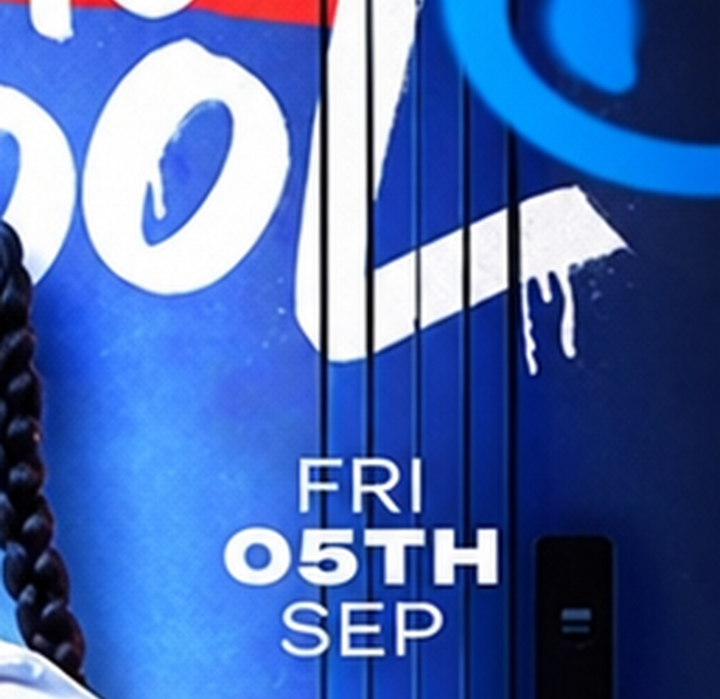
Retypit returned FRI / 05TH / SEP in white bold condensed type with locker lines still through the letters—no flat yellow patch. Host block stayed ABIRA LIX / SONYK. Collateral was mostly upscale drift on tiny footer type (SOUTH BTR, +20…)—reads as super-resolution on small text, not an invented city.
ReWords Result A (default download): spelling OK but date painted yellow with dark outline. Result B: yellow plus broken glyphs. Result C: best white date match—but we did not edit the footer, and C still rewrote contact lines (see below). No watermark on paid-credit download in our account.
Date crop (same framing)

Footer hallucination on ReWords C
The footer was never part of our edit. On Result C, ReWords replaced real copy— SOUTH STR 121 and the original California RSVP phone—with invented text: OAKLAND, CA (twice) and +123 456 7890. That is not blurry OCR of the same address; it is new contact information on a line we did not ask to change. Always zoom the footer before shipping a ReWords variant—especially C, even when the date looks best.




When to pick which
| Tool | Good fit when… |
|---|---|
| Retypit | You want one run, one download, and style that matches the original white date without shopping A/B/C variants. |
| ReWords | You accept sign-in, same-length edits, and picking among three outputs—and you inspect the full image (especially footer/contact lines) before you ship. |
Bottom line on this poster: Retypit wins style fidelity and workflow simplicity. ReWords’s three-variant output is a different product bet—you may get a white date on C only after shopping tabs, and C can invent footer text.
Try Retypit
Try the same kind of edit on your image
Upload a poster or screenshot on the homepage, click the lines you want to change, and download with the original font look.
Edit text in an imageJPG, PNG or WebP · Max 20MB · Image to Font optional